
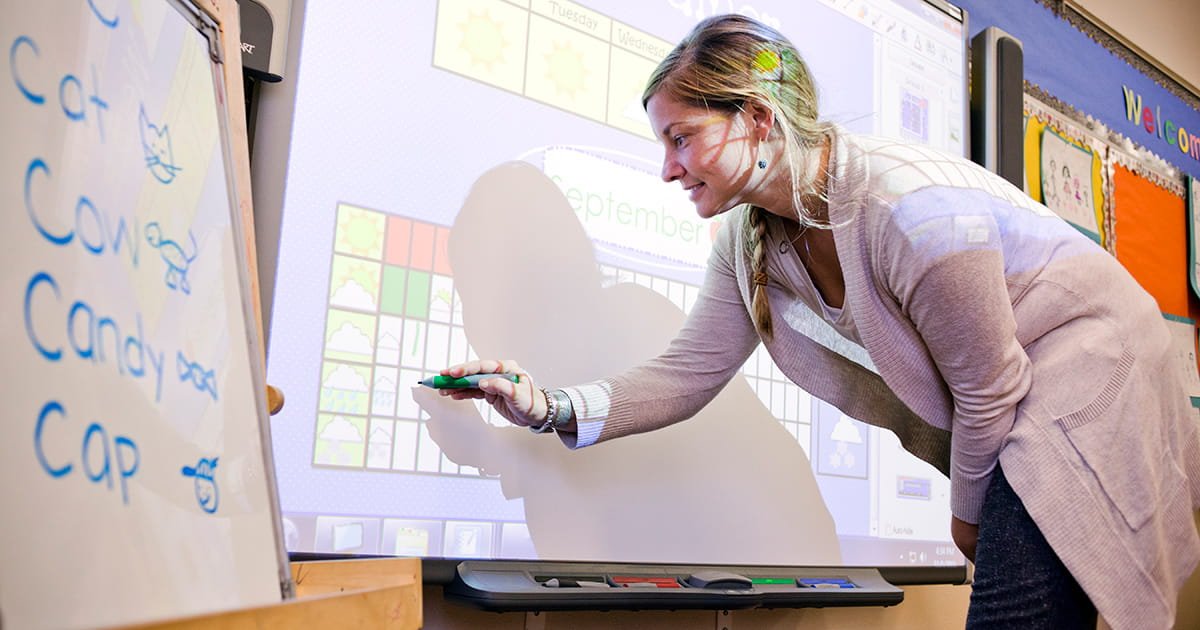
Interactive whiteboards have become essential tools in modern classrooms and meeting spaces. If you are looking for a display solution that improves teaching interaction, simplifies content sharing and extends equipment service life, understanding the differences and strengths of the SMART Board MX Series and WMB Flip Pro can help. This article compares practical features, connectivity and durability to help you identify the product that best suits your teaching or meeting needs.
Selected recommendations
|
Category |
Product |
Price |
Score |
|---|---|---|---|
|
🏆 Best Overall |
HK$30,720.00 |
92/100 |
|
|
⚡ Best Performance / 💡 Best Innovation |
Request a quotation |
90/100 |
Selection criteria
When choosing an interactive whiteboard, assess value using these criteria: display size and resolution (viewing area and detail); touch and writing experience (pen accuracy, latency and multitouch support); built-in operating environment and software (teaching-platform support, remote access and embedded applications); connectivity (HDMI, USB-C, networking and wireless screen sharing); durability and commercial grade (operating hours, impact resistance and safety certification); security and remote management (resource distribution and MagicINFO-type systems); expandability and support services (professional training, warranty and technical support); and overall cost (purchase and long-term maintenance). This article compares SMART Board MX and Flip Pro across these areas to help you choose for your usage scenario.
SMART Board MX Series
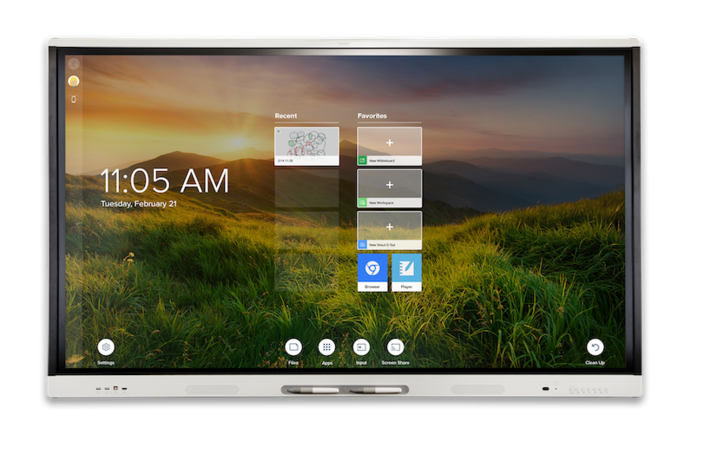
SMART Board MX Series
An interactive teaching display in 65/75/86-inch sizes, with responsive HyPr Touch writing, built-in iQ, simultaneous writing by multiple students, commercial-grade durability rated at 50,000 hours, SMART Ink support and multiplatform compatibility.
HK$30,720.00
If you are looking for a durable display that improves classroom interaction, the SMART Board MX Series deserves a place on your shortlist. It offers 65, 75 and 86-inch options. HyPr Touch™ combined with Advanced IR makes writing feel close to a real whiteboard—a practical benefit for teachers who frequently write, annotate or demonstrate during lessons. The built-in iQ platform lets you switch between the whiteboard, browser and other teaching applications with one touch, avoiding repeated device changes and saving lesson time. In everyday use, multiple students can write and interact simultaneously. Object awareness automatically identifies pens, palms and fingers, removing the need to switch tools. SMART Ink is also useful: write directly on videos, PDFs or Office files and save your work, making lesson preparation and recording discussion conclusions easier. The hardware emphasizes commercial durability, with a stated service life of up to 50,000 hours, making it suitable for schools and frequently used meeting rooms. Practical uses include everyday lessons, demonstration-intensive classes and collaborative workshops. If you want an interactive platform requiring less maintenance and offering long-term dependability, the MX Series is worth considering. I would recommend it to teachers or educational institutions prioritizing smooth teaching workflows and simultaneous participation.
Pros and cons
|
Pros |
Cons |
|---|---|
|
✅ Smooth, accurate writing (HyPr Touch) |
❌ Higher initial purchase cost |
|
✅ Intuitive built-in iQ platform |
❌ Certain advanced requirements may need an optional Windows/Intel computing module |
|
✅ Simultaneous writing and object awareness for multiple users |
❌ Installation and initial setup may require IT assistance |
|
✅ High durability for long-term teaching environments |
|
User reviews
Users often mention that responsive writing and simultaneous multipoint interaction improve classroom efficiency, while IT staff appreciate commercial durability and the convenience of SMART Ink for lesson preparation and review.
Overall sentiment: Positive
🗣️ Teacher Lin
Writing with HyPr Touch feels noticeably more accurate than traditional infrared touch. There is almost no delay when teachers write on the board, and students can participate at multiple points simultaneously, making classroom interaction more natural. Built-in iQ lets us switch teaching materials with one touch during lessons, saving a great deal of time.
🗣️ Mr. Chan, IT administrator
The commercial-grade design looks solid, and the official 50,000-hour reliability rating gives the school more confidence when purchasing. SMART Ink lets us annotate PDFs or Office files directly and save them, making preparation and review much easier.
Long-term cost effectiveness
Although the initial purchase price is higher, commercial-grade durability and lower downtime can reduce replacement and repair frequency. Official professional support and training help teachers get started faster and increase equipment utilization, helping to reduce total ownership cost over time.
Return on investment
If you treat the display as the core of your teaching platform, time savings from faster material switching and fewer equipment problems, together with improved interaction, can translate into more effective classroom outcomes. Classes with many students or frequent daily use can see returns in time and efficiency within a few years.
Usage scenarios
|
Situation |
How It Helps |
|---|---|
|
Everyday classroom teaching |
Switch between the whiteboard and teaching materials with one touch. Students can answer questions directly on screen, making teaching flow more smoothly. |
|
Group collaboration activities |
Multiple students can write and move objects simultaneously, encouraging peer discussion and immediate feedback. |
|
Lesson preparation and file annotation |
SMART Ink allows direct annotation and saving in PDF and Office files, simplifying post-lesson organization and sharing. |
Educational value
The MX Series is designed around teaching: multipoint interaction, object awareness and SMART Learning Suite integration let you design more interactive activities and conduct immediate assessments, with practical benefits for learning outcomes.
Ease of use
|
Feature |
Ease Level |
|---|---|
|
Writing experience |
Easy |
|
Interface and mode switching (iQ) |
Very easy |
|
Simultaneous interaction by multiple students |
Easy |
|
Initial installation and setup |
Moderate |
Versatility
Support for Android iQ, Windows, Chrome OS and other computing options gives you a suitable way to work regardless of your preferred ecosystem, meeting different teaching and meeting needs.
Practicality
Combining writing, a replacement for projection and built-in computing, it serves as a multifunction display center for classrooms and meetings, useful for everyday work and special demonstrations.
Collaboration features
Support for simultaneous writing with multiple pens and colors, Object awareness that identifies pens and palms, and SMART Learning Suite collaborative workspaces lets teams or students complete tasks together in real time.
Key advantages
- Natural, precise writing experience
- Built-in iQ for one-touch teaching-mode switching
- Multiple students can interact simultaneously
- Commercial-grade durable design
- SMART Ink supports annotation and saving across multiple file types
Current price: HK$30,720.00
Rating:
ShopWMB Crystal UHD 4K Signage Flip Pro
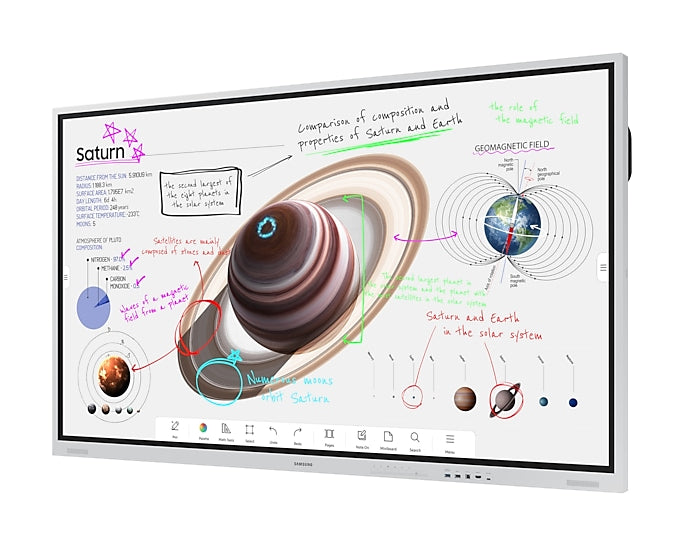
WMB Crystal UHD 4K Signage Flip Pro
An education-focused 4K interactive display supporting 20-point multitouch, 26ms low latency, 3-in-1 USB-C, SmartView+ wireless screen sharing from multiple devices and remote management, suitable for classrooms and meetings.
HK$0.00
If you want a display that makes lessons more interactive and is useful in meetings too, Flip Pro is a practical choice. Its 26ms low latency and 2,048 levels of pen pressure sensitivity make writing feel close to real pen strokes, with smooth responses when quickly recording students' ideas or demonstrating notes. The hardware supports simultaneous touch by up to 20 people (under single-point test conditions), especially useful for group activities and presentations. Connectivity is thoughtfully handled: HDMI, DP, USB and 3-in-1 USB-C (video transmission, touch return and up to 15W power delivery) reduce cabling concerns. If you need to display or share content from multiple devices, SmartView+ can connect up to 50 devices simultaneously and supports a four-way split screen, useful in large classrooms and collaborative meetings. It also supports AirPlay 2, remote content distribution (requiring a MagicINFO license) and remote access through Workspace (protected by Knox), allowing teaching materials or remote computers to be accessed from different locations. An antimicrobial coating and shatter-resistant protective film reduce everyday risks. Overall, if you prioritize stable writing, flexible connectivity and classroom-level management, Flip Pro is worth considering.
Pros and cons
|
Pros |
Cons |
|---|---|
|
✅ Smooth writing, pressure sensitivity and predictive logic improve drawing |
❌ Some remote-management and content-distribution features require extra licensing, such as MagicINFO |
|
✅ Simultaneous multipoint interaction for convenient group teaching and collaboration |
❌ Full advanced functionality may require specific software or subscription services |
|
✅ Extensive connectivity and 3-in-1 USB-C reduce cable clutter |
❌ Large installations or school-system integration may require IT support |
|
✅ SmartView+ and AirPlay 2 provide stable wireless sharing |
|
|
✅ Antimicrobial coating and shatter-resistant design improve safety in use |
|
User reviews
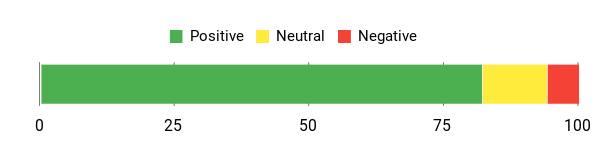
Users frequently describe smooth writing and useful multidevice wireless sharing. Academic administration or IT staff also note that remote management and protective features can reduce routine maintenance work.
Overall sentiment: Positive
🗣️ Teacher Wu (junior secondary school)
The stated writing latency is 26ms. In actual classroom use, pen strokes feel smooth, and predictive logic makes lines smoother. Students experience almost no noticeable delay when drawing or taking notes, making interaction feel close to a traditional whiteboard.
🗣️ Ms. Lee (educational technology team)
We tried SmartView+ in a large class. It connects many students' devices simultaneously and provides a four-way split screen. Wireless screen sharing is stable, saving time throughout the interaction and making it easier for students to share their results.
Long-term cost effectiveness
Although hardware and license costs may be required initially, antimicrobial and shatter-resistant protection can reduce repair and replacement frequency. Remote management also allows centralized distribution of teaching materials and updates, reducing maintenance labor across classrooms and helping control total ownership cost over time.
Return on investment
Using Flip Pro as a core teaching device offers returns through teaching efficiency, reduced preparation time and fewer equipment-management incidents. Where schools or institutions frequently use interactive displays, investing in durable, remotely manageable models can usually recover part of the cost within several years.
Usage scenarios
|
Situation |
How It Helps |
|---|---|
|
Everyday classroom teaching |
Low-latency writing and multitouch let you record students' responses and demonstrate immediately, making lessons flow more smoothly. |
|
Large lectures or presentations |
AirPlay 2 and SmartView+ support simultaneous sharing from multiple devices, helping audiences or students present content more conveniently. |
|
Remote management and school notices |
With MagicINFO remote content distribution, teaching materials, notices or alerts can be sent centrally to every display, saving the time needed to update each individually. |
|
Environments with greater protection and hygiene needs |
The screen's antimicrobial coating and shatter-resistant protection can reduce everyday contact risks and repair costs. |
Educational value
Flip Pro combines interactive writing, multidevice sharing and teaching software, helping you design varied teaching activities and immediate peer assessments to improve participation and interactive learning.
Ease of use
|
Feature |
Ease Level |
|---|---|
|
Writing and drawing |
Easy |
|
Wireless screen sharing (SmartView+ / AirPlay 2) |
Easy |
|
USB-C connection and charging |
Very easy |
|
Remote content distribution and management (MagicINFO) |
Moderate |
|
Initial system integration and account setup |
Moderate |
Versatility
Support for multiple input sources and wireless sharing, together with remote access and educational application integration, offers flexibility across teaching, meetings and presentations.
Practicality
Combining a realistic writing feel, multitouch and multiple connection options, Flip Pro is useful for everyday teaching and activities requiring interaction by several people.
Collaboration features
Support for up to 20 touch points, simultaneous multiscreen display (four-way split) and SmartView+ multidevice connections lets multiple people present, discuss and collaborate at the same time.
Key advantages
- 26ms low latency and a writing experience close to real handwriting
- Up to 20-point multitouch for group interaction
- Multiple connection options (HDMI, DP, USB, 3-in-1 USB-C)
- SmartView+ connects up to 50 devices simultaneously and supports multiscreen display
- Antimicrobial coating and shatter-resistant protection increase everyday durability
Current price: HK$0.00
Rating:
ShopFAQ
How do these two interactive whiteboards—SMART Board MX Series and WMB Crystal UHD 4K Signage Flip Pro—differ in features and suitable usage scenarios?
When choosing, you will notice different priorities: SMART Board MX Series is clearly designed around education, with built-in iQ, SMART Learning Suite, SMART Ink and Object awareness. It supports simultaneous writing by multiple students and recognition of different tools, and is rated as commercial grade with a 50,000-hour service life. It suits schools or classrooms requiring deep teaching integration and classroom assessment. Available sizes include 65", 75" and 86", and the reference price per unit is approximately HK$30,720.00(depending on size and specification). WMB Crystal UHD 4K Signage Flip Pro emphasizes low-latency drawing (26ms), up to 20 touch points and 2,048 levels of pen sensitivity, 3-in-1 USB‑C (video, touch and power), and SmartView+ (up to 50 simultaneous device connections and up to four-screen multiwindow display). It also integrates AirPlay 2, Workspace (protected by Knox) and MagicINFO remote content distribution, making it more suitable for fast multidevice collaboration and enterprise or large-classroom deployment. In short, if you prioritize teaching software ecosystems and teachers' classroom tools, SMART is more education-focused; if you prioritize low-latency touch, wireless multidevice sharing and remote management, Flip Pro is more attractive.
What costs and logistical requirements should you consider when buying, and which common misconceptions should you avoid?
When evaluating, put total cost of ownership first: beyond the display itself, estimate installation (wall mounting or a mobile stand), computer modules or OPS, network deployment, styluses or accessories, extended warranties or on-site technical support, and software licensing (for example, advanced SMART Learning Suite features or Boxlight MimioConnect and MagicINFO may require subscription fees). A common misconception is that high resolution means the best interactive experience; in practice, touch latency, pen feedback, multiuser touch and software integration matter more for teaching. Some users also assume all collaboration features are free, although certain advanced remote-management or course platforms require extra licensing. If your budget is limited, prioritize size and essential software functions, then confirm with the dealer whether installation and teacher training are included to avoid hidden costs. Flip Pro pricing usually requires a quotation from the manufacturer or agent, while SMART pricing varies with size and built-in specifications (HK$30,720.00 is one possible quotation example).
How should you set up and maintain the displays for actual teaching or meetings to extend service life and improve efficiency?
Before deployment, establish basic settings and procedures: update firmware and management software after startup; configure network security and access permissions, such as enabling Knox and setting up MagicINFO or school information-system integration; calibrate touch; and create teacher accounts and templates. Where available, use USB‑C or wired networking to reduce latency and disconnections, with wireless screen sharing (AirPlay 2 and SmartView+) as a supplementary tool for student devices. For daily care, wipe the screen with a clean microfiber cloth and manufacturer-recommended cleaner. Avoid directly spraying cleaners containing alcohol or strong solvents onto the panel, and regularly inspect styluses and connection cables. Flip Pro's antimicrobial coating and shatter-resistant film can reduce damage risk, but classroom usage rules are still recommended to limit impacts and liquid ingress. Finally, investing in teacher training and backup procedures, such as regularly backing up SMART Notebook or online lessons and scheduling remote-management updates, can significantly reduce operating and maintenance costs and help you fully realize the educational value of these interactive whiteboards.
Customer preferences
When choosing between them, customers usually prioritize usage scenarios, interactive functions and picture quality. If you need deep collaboration, teaching tools and whiteboard software integration, you may favor SMART Board MX Series. If you value outstanding 4K image quality and commercial presentations or digital signage, you may choose WMB Crystal UHD 4K Signage Flip Pro, while also weighing practical considerations such as connectivity, price and after-sales support.

Conclusion
Key points: If you prioritize teaching-ecosystem integration, long-term durability and extensive teaching tools,SMART Board MX Series offers a mature SMART Learning Suite and varied operating-environment options, making it a solid education-focused choice. If you prioritize very low-latency handwriting, 4K display and strong wireless connectivity (including SmartView+ and three-in-one USB-C), WMB Flip Pro stands out for smooth interaction and creative tools. Overall, choose according to classroom size, your existing software ecosystem and budget: select SMART Board for a comprehensive teaching platform and commercial durability, or Flip Pro for highly responsive touch and multidevice sharing.
| SMART Board® MX Series | WMB Crystal UHD 4K Signage Flip Pro | |
|---|---|---|
|
|
|
|
| Rating | N/A | N/A |
| Price | 30,720.00 HKD | Price not yet announced |
| Models and sizes | 65"、75"、86" | 65" |
| Connectivity |
|
|
| Unique features |
|
|
| Shop | Shop |

