We use cookies to personalise content and ads, to provide social media features and to analyse our traffic. We also share information about your use of our site with our social media, advertising and analytics partners who may combine it with other information that you’ve provided to them or that they’ve collected from your use of their services.
Roll over image to zoom inClick on image to zoom
/
Description
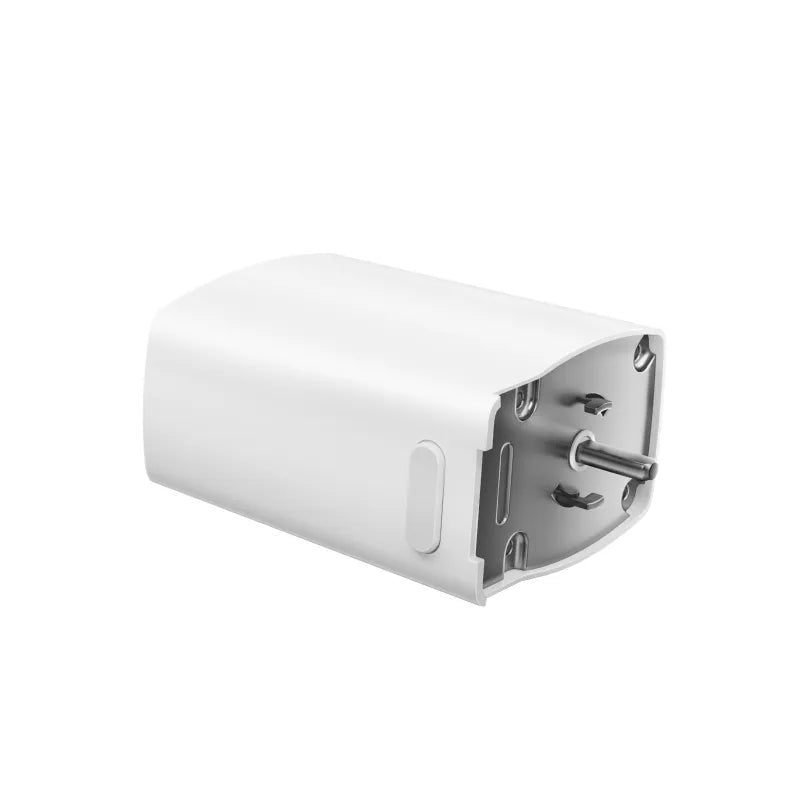
The Yeelight Pro E-Series curtain motor combines a compact enclosure with strong torque and ultra-quiet operation for smooth, noiseless smart curtain opening and closing at home.
It requires a Yeelight Pro Bluetooth Mesh gateway and supports network configuration and advanced smart automation through the Yeelight APP.
Custom opening/closing direction settings, one-touch reset and OTA online upgrades combine with secure, convenient installation to create a modern smart curtain system.
Key Features
Brand: Yeelight Pro
Product model: YP-0694
Product Series: E-Series
Product type: Curtain motor
Rated voltage: AC100~240V 50/60Hz
Communication protocols: Bluetooth
Yeelight Pro System: Supported
Highlights
Compact enclosure with strong torque output
Ultra-quiet operation for a peaceful home
Supports Bluetooth Mesh communication and APP smart automation
Supports direction reversal, one-touch reset and OTA upgrades
Compatibility
For the Yeelight Pro system. A Yeelight Pro Bluetooth Mesh gateway is required, with smart control and configuration through the Yeelight APP.
How to use
APP connectivity and related smart control require a Yeelight Pro Bluetooth mesh gateway, purchased separately. ① Open the APP, verify your identity, find the device name in the corresponding room of the design plan, select “Scan QR Code” and scan the code on the enclosure to prepare network onboarding. ② Open the APP, follow the prompts to add a room, open the room where the device will be installed, tap Add Device, select “Scan QR Code” and scan the code on the enclosure to prepare network onboarding.
* Ensure the motor is securely installed on the track gearbox to prevent it falling off or affecting operation.
After installing the products in the room, power on the curtain motor. Tap “Bind All” in the APP to complete network configuration. (Ensure the network is available and the gateway has been configured.)
APP connectivity and smart control require a Yeelight Pro Bluetooth Mesh gateway, purchased separately.
What if the curtain direction is opposite to the APP controls?
After automatic calibration, if the direction is reversed, open the smart curtain settings page and reverse the direction.
How do I restore the motor to factory settings?
Press and hold the button at the bottom of the motor for 5 seconds. The indicator flashes quickly 2 times with 2 short beeps as the reset starts; it flashes quickly 4 times with 4 short beeps when complete.
What is the rated operating voltage?
The rated operating voltage is AC 100~240V 50/60Hz.
Roll over image to zoom inClick on image to zoom
/
You may also like
Recently viewed
Certified Expertise
We are an authorized partner of industry leaders like Control4, Ekinex, and KNX. Our team undergoes rigorous training to ensure your system is installed to the highest global standards.
Tailor-Made Solutions
No two spaces are alike. Whether it’s a luxury residence or a complex office environment, we design bespoke systems that fit your specific needs, lifestyle, and budget.
End-to-End Service
From the initial consultation and system design to professional installation and dedicated after-sales support, we stay with you every step of the way to ensure peace of mind.
Newsletter
Get exclusive smart solution insights, product updates, and expert guidance